
Documentation
Quick Start
Choose your starting path for integrating and configuring your AI assistant:
Introduction to Pitaj.io
Semantic RAG pipeline architecture, data ingestion, and workspace security boundaries.
Open introduction →
Build Your First Agent
Step-by-step walkthrough from domain crawling to real-time chat testing.
Start building →
Knowledge Base Best Practices
Catalog structures, PDF formatting rules, and guidelines to ensure zero-hallucination accuracy.
View best practices →
Core Platform Modules
Comprehensive capabilities for training, workflow automation, and customer engagement:
Knowledge Base & Training
Automated web crawler with sync schedules, document OCR, policy text snippets, and Q&A pairs.
Knowledge sources →
Designer & Customization
Configure primary brand colors, assistant avatars, floating trigger buttons, and greeting prompts.
Appearance guide →
Interactive Actions & Forms
Form fields for lead collection, outbound REST API requests, and live Shopify catalog actions.
Actions overview →
Business Procedures
Deterministic decision trees, operating schedule checks, and live human agent handovers.
Procedure workflows →
AI Widget Builder
Conversational synthesis of bespoke JSX UI components, mortgage calculators, and forms with Zod validation.
Interactive widgets →
Help Desk & Inbox
Omnichannel ticket management, 1-click AI draft replies, internal team notes, and CSAT surveys.
Help desk guide →
Channels & Integrations
Deploy your assistant across the surfaces where your customers interact:
Websites (HTML & SPAs)
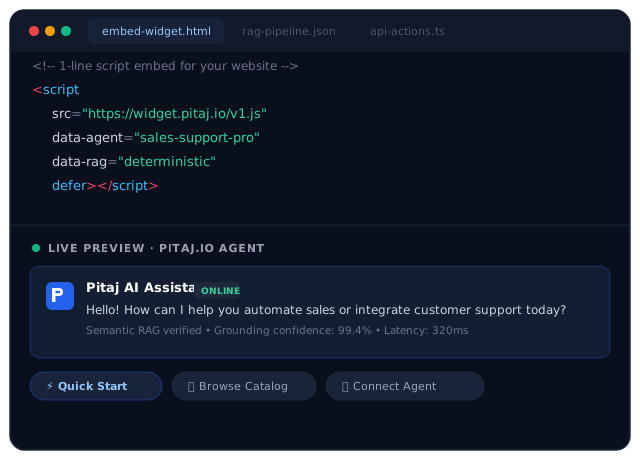
Asynchronous script embed supporting React, Next.js, Vue, Nuxt, and Google Tag Manager.
HTML embed →
WordPress & Shopify
Verified WordPress plugin and Shopify Theme App Embed for zero-code storefront installation.
CMS setup →
WhatsApp & Instagram DM
Official Meta Cloud API and Instagram Direct Messaging for automated 24/7 social sales and support.
Social channels →
Developer Resources
Integrate autonomous conversational reasoning into your applications and server backends:
JavaScript Widget SDK
Programmatic runtime control via window.PitajIO: open/close states, message dispatch, and visitor identification.
Widget SDK reference →
REST API & Webhooks
HTTP POST requests, structured JSON payloads, and HMAC-SHA256 signature verification.
REST API reference →